 Extension for Google Chrome
Add to IDColab
Save inspiration, product pages and images from anywhere on the web straight into your projects.
Free · Works with your IDColab account
Watch
See it in action
A short walkthrough of adding links to IDColab, from your dashboard and with the extension.
Features
From any page to your project
Made for the way designers collect: product pages, finishes, fixtures and the files clients send by email.
Save any page as a link
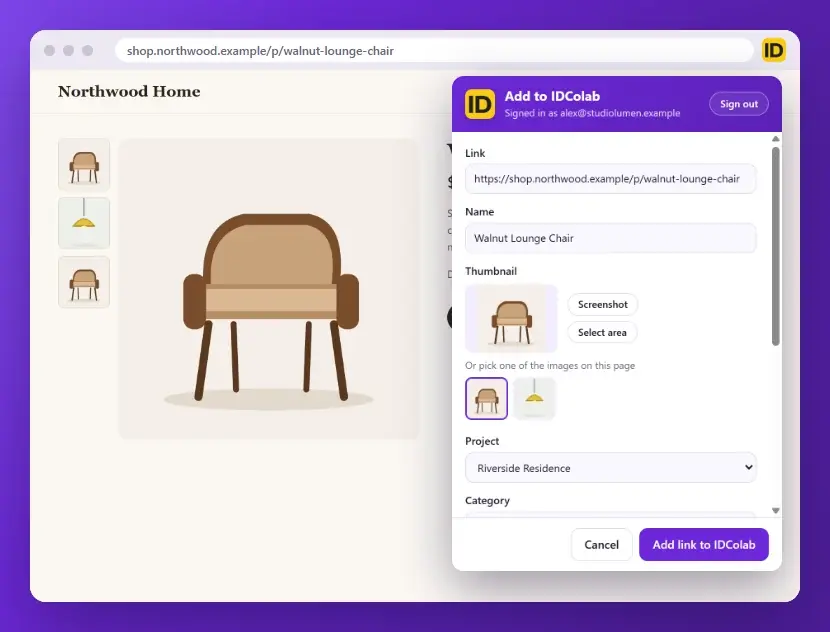
Click the IDColab icon on a product page, or any page you love. The link, the name and a picture fill in for you.
Choose the picture
Pick another image from the page, take a Screenshot, or use Select area to keep just the part you want.
Put it in the right place
Choose the Project, Category and Folder. Links start in Specifications, and your last project and category are remembered.
Add a note for your team
Write a description, ask a teammate for their Attention, mark it as a Blocker, and choose whether it shows in Feeds.
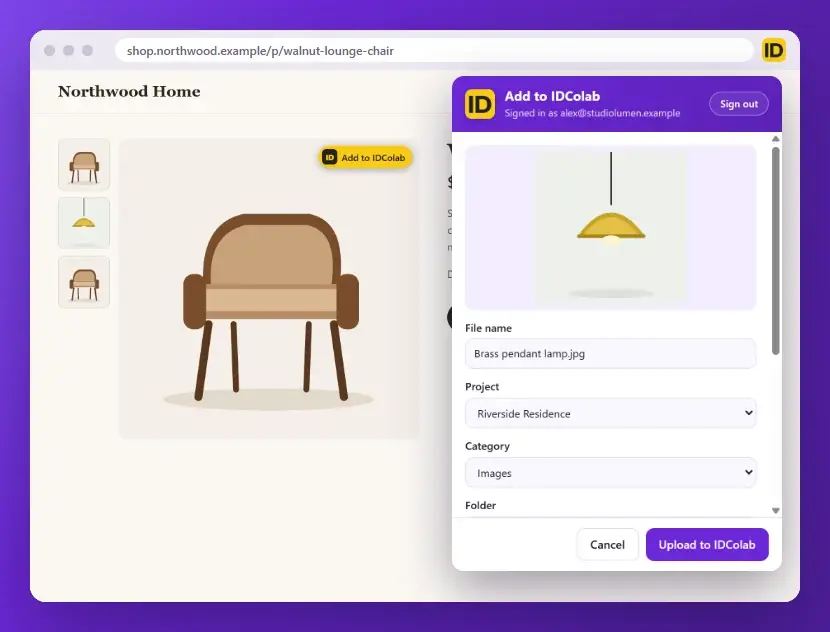
Right click any image
Choose Add image to IDColab and the image is saved to your project as a file. You can also turn on a yellow button that appears when you point at an image.
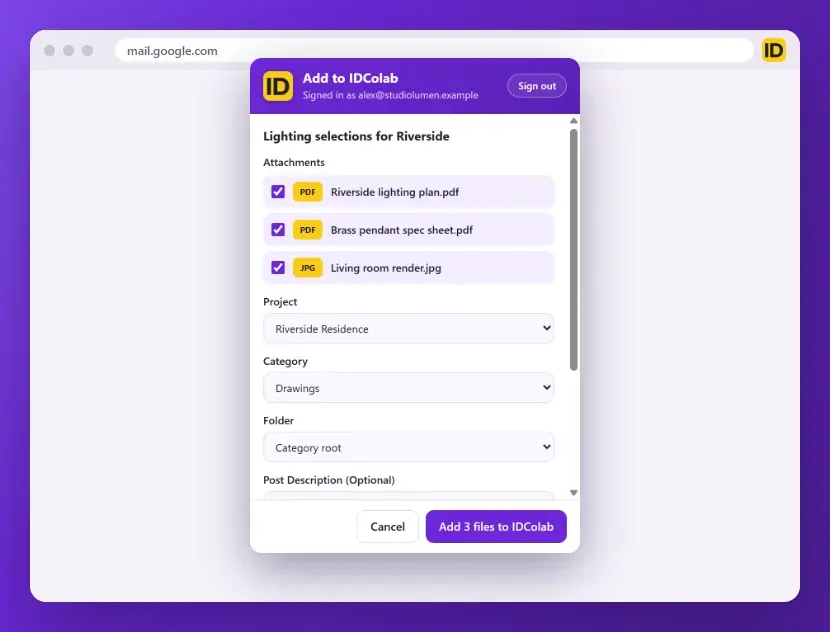
Save Gmail attachments
Open an email in Gmail and click the icon to pick up its attachments, or use the IDColab button on an attachment. The files you tick are posted together.
Sign in your way
Use your IDColab email and password, or sign in with Google or Apple.
Open folder after saving
Once it is saved, Open folder takes you straight to it in IDColab, so you can keep working.
How it works
Ready in three steps
Install and pin
Press Add to Chrome, then open the extensions menu next to the address bar and pin IDColab, so its icon is always one click away.
Sign in
Click the IDColab icon and sign in with your IDColab account, using your email and password, Google or Apple.
Click and save
On any page, click the icon, check the name and picture, choose where it goes, and save. It is in your project right away.
Support
Frequently Asked Questions
Which browsers does it work in?
Add to IDColab is made for Google Chrome on a computer. Chrome on phones and tablets does not run extensions.
Is it free?
Yes. The extension is free to install. It saves into your IDColab account, and the IDColab Starter plan is free too.
See plans and pricingWhere do saved links go?
Into the project, category and folder you choose, just like a link you add from your dashboard. Links start in Specifications, and you can pick another category before you save. Press Open folder afterwards to see it in IDColab.
Can I add links on my phone?
Yes. Extensions do not run on phones, but you can add links in the IDColab app on your phone, and from your dashboard on any computer.
How to add linksWhat does the extension read?
Only what you ask it to. When you click the IDColab icon, it reads the address, title and images of the page you are on to fill in the form, and it takes a picture of the page only when you press Screenshot or Select area. In Gmail it adds an IDColab button to attachments and downloads only the ones you choose to save. The yellow button on images stays off until you turn it on, and Chrome asks for your permission first. What you save goes to your IDColab project, and your sign in is kept in Chrome on your computer.
Read our privacy policy
Your next find is one click from your project
Free for Google Chrome on your computer. Sign in with your IDColab account and save your first page in seconds.
Add to Chrome(opens in a new tab)